Buying a pre-owned phone is one of the smartest ways to get flagship features at a budget-friendly price. But without the right precautions, what seems like a great deal can quickly turn into a costly mistake. Whether you are shopping on NextHand or anywhere else, knowing the things to check before buying a used phone can save you from regret, fraud, and unnecessary repairs.
This guide walks you through every essential checkpoint from physical inspection to software verification, so you can buy with complete confidence.
Check the Physical Condition

Start with what you can see and feel. Examine the phone’s body carefully for scratches, dents, cracks, or signs of water damage. Pay close attention to the screen — even minor hairline cracks can worsen over time. Check the charging port for lint buildup or loose connections, and make sure all physical buttons respond properly. A phone that looks well-maintained on the outside usually reflects how it was treated overall.
Verify the IMEI Number
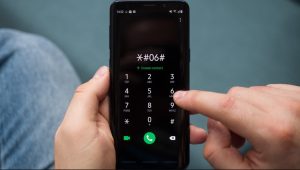
The IMEI is essentially a phone’s identity card. Dial *#06# on the device to display it, then cross-check the number against online IMEI databases. This step confirms whether the phone has been reported stolen, blacklisted, or is still tied to a carrier lock. Skipping this check is one of the most common and most dangerous mistakes buyers make. On NextHand, verified sellers provide IMEI transparency upfront, reducing this risk significantly.
Test the Battery Health
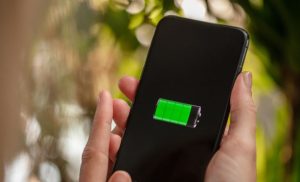
Battery degradation is unavoidable in any used device. On iPhones, navigate to Settings > Battery > Battery Health to check the maximum capacity percentage. For Android phones, third-party apps like AccuBattery can provide similar insights. A battery health above 80% is generally acceptable. Anything below that may require a replacement soon, which adds to your total cost.
Inspect the Display and Touch Response
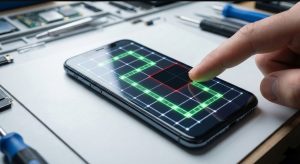
A screen might look fine visually but still have dead zones or ghost touch issues. Open a plain white image to check for discoloration, dead pixels, or screen burn-in a common problem on OLED panels. Then test the touchscreen by swiping through every corner and edge. Apps like Touch Screen Test make this process quick and reliable.
Confirm Software and Activation Lock Status
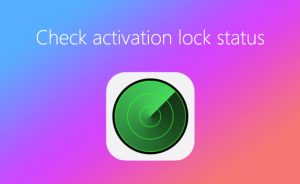
One of the most overlooked things to check before buying a used phone is the activation lock. iPhones have iCloud Activation Lock, while Samsung devices use a Google or Samsung account lock. If the previous owner has not signed out, you could end up with a device that is essentially a paperweight. Always ask the seller to factory reset the phone in front of you and verify that no accounts remain linked.
Test the Cameras, Speakers, and Sensors
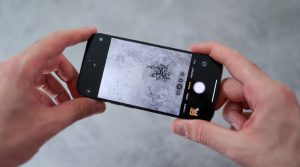
Open the camera app and take photos using both front and rear lenses. Record a short video to test autofocus and stabilization. Play audio through the speakers and try a phone call to check the earpiece and microphone. Also test the proximity sensor, fingerprint scanner, and face unlock if available. These components are expensive to repair, so catching issues early matters.
Why NextHand Makes It Easier
Understanding the things to check before buying a used phone is important, but having a reliable platform simplifies everything. NextHand connects you with verified sellers across Bangladesh, provides detailed condition reports on listings, and supports exchanges alongside buying and selling. When you shop on NextHand, much of the guesswork is already handled for you. Giving you a safer, more transparent experience every time.
Buy Smart, Buy Confident
A used phone can deliver the same premium experience as a brand-new device, if you do your homework. Follow this checklist, trust your instincts, and choose a platform like NextHand that prioritises buyer confidence. Your next flagship upgrade might be just one smart decision away.
Frequently Asked Questions (FAQ)
1. What is the first thing I should check when buying a used phone?
Start with the IMEI number. Verifying it ensures the phone is not stolen, blacklisted, or carrier-locked before you invest any money.
2. How can I check the battery health of a used Android phone?
Download a third-party app like AccuBattery or GSam Battery Monitor. These apps provide detailed reports on battery capacity, charge cycles, and overall health.
3. What battery health percentage is acceptable for a used phone?
A battery health of 80% or above is generally considered good. Below that, you may need a battery replacement within a few months of purchase.
4. How do I know if a used phone has water damage?
Check the Liquid Damage Indicator (LDI) inside the SIM tray slot. If it appears red or pink instead of white, the device has been exposed to moisture.
5. Can I buy used phones safely from NextHand?
Yes. NextHand is a trusted Bangladeshi marketplace that connects you with verified sellers. Listings include detailed condition descriptions, making it easier to make informed decisions.
6. What is an activation lock and why does it matter?
An activation lock ties a phone to the previous owner’s account (iCloud for iPhones, Google for Android). If it is not removed before sale, you will be unable to use the device.
7. Should I check the phone’s warranty status before buying?
Absolutely. Some pre-owned phones may still have remaining manufacturer warranty. You can verify this on the brand’s official website using the serial number or IMEI.
8. How do I test if a used phone’s screen has dead pixels?
Display a solid white, red, green, and blue image on the screen at full brightness. Dead pixels will appear as tiny black or discoloured dots that do not change.
9. Is it worth buying a used flagship phone over a new budget phone?
In most cases, yes. Used flagships offer superior build quality, better cameras, faster processors, and longer software support compared to new budget devices at the same price.
10. Does NextHand offer warranty on used phones?
NextHand provides warranty support on eligible devices. Check the specific product listing for warranty details and coverage terms before completing your purchase.